Developers
An API for everything the app can do
The Modulix web app is one client of a versioned REST API. Your integrations use the same endpoints, with API keys or OAuth clients, signed webhooks and an OpenAPI description of every module.
REST API
Predictable, documented endpoints
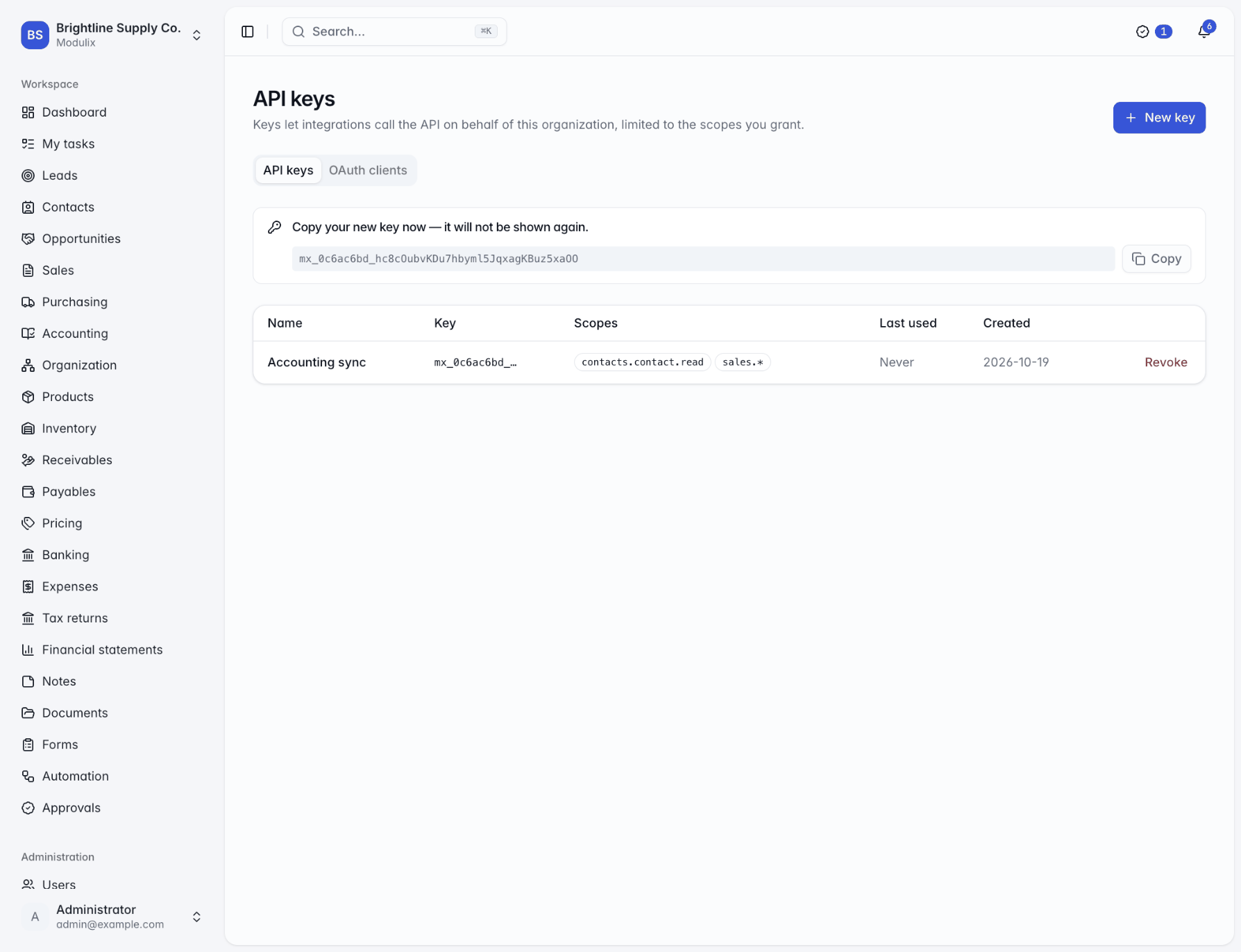
All endpoints sit under /api/v1, with interactive documentation at /api/docs and an OpenAPI 3 document generated from the same schemas that validate requests. Lists share one convention for paging, search, sorting and JSON filters. Errors are RFC 7807 problem documents, and money and quantities travel as decimal strings, never floating-point numbers.
API keys
Scoped to the permissions you choose, shown once, stored hashed, with optional expiry.
OAuth client credentials
Short-lived bearer tokens for server-to-server integrations.
Bound to one organization
A key or client only ever sees the organization it belongs to.
An open API, signed webhooks and imports from the files you already have.
Webhooks
Webhooks you can verify
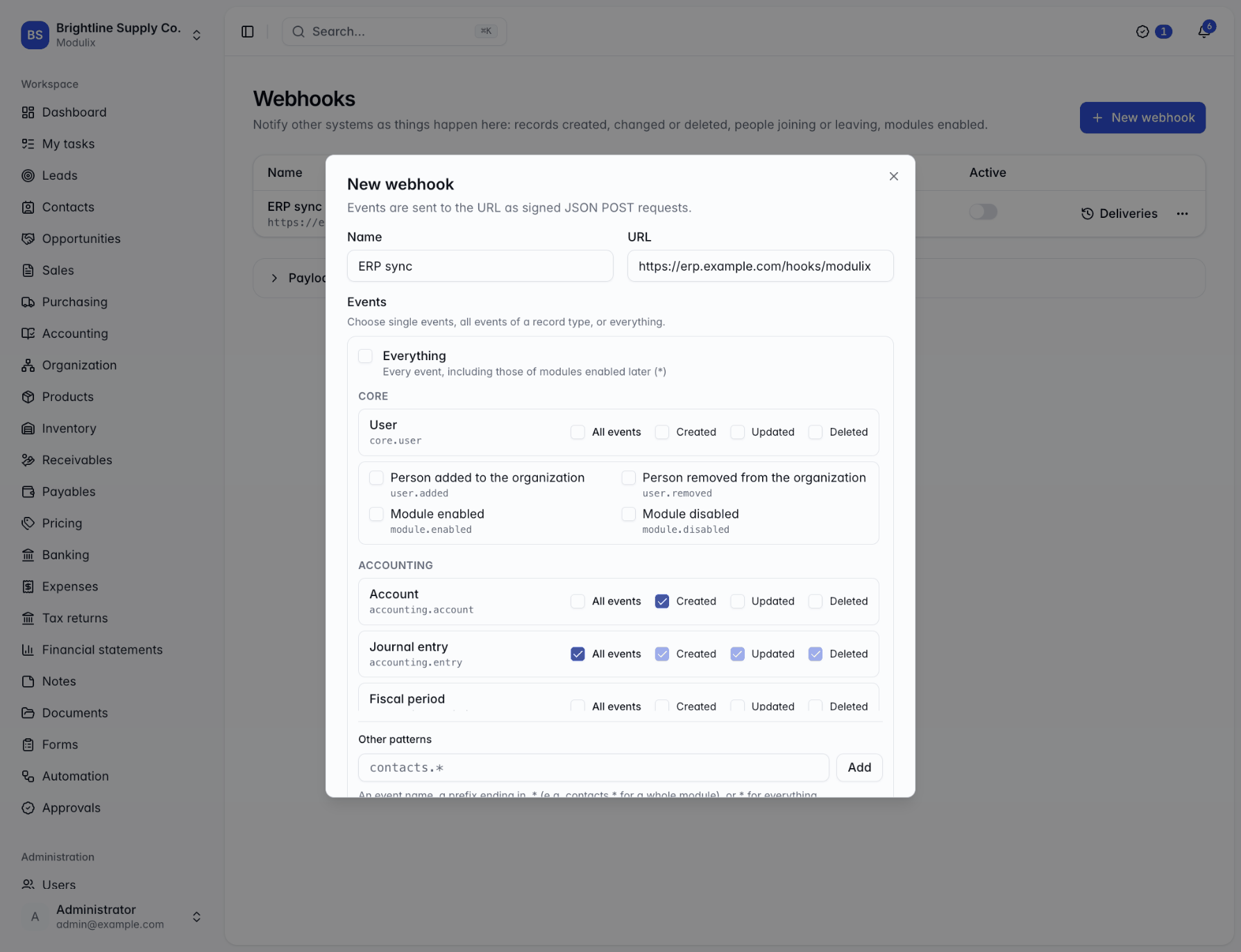
Subscribe to record events from any enabled module, such as contacts.contact.updated or sales.invoice.created, or to whole namespaces with wildcards. Each delivery is a JSON POST signed with an HMAC-SHA256 of the timestamp and the body.
Failed deliveries are retried after 1 minute, 5 minutes, 30 minutes, 2 hours and 6 hours, and every attempt is logged with its response status, so you can see what happened and redeliver once your endpoint is fixed.
Test pings
Send a test event before you rely on an endpoint.
Secret rotation
Rotate a signing secret; new deliveries use it immediately.
Delivery history
Status, response and duration of each attempt, with redelivery.
Module SDK
Build modules on the same foundation
First-party modules use the same SDK you would. A module is a package with a manifest, portable tables, a NestJS server half and a React web half. It declares its permissions, menu entries, settings and dashboard widgets, and builds on tenant-scoped repositories, record events and the audit log. Scaffold one with modulix module:new.
Portable tables
One schema definition for PostgreSQL and MySQL, with migrations per dialect.
Hooks and slots
Extend menus, dashboards and other modules' record pages.
Versioned contract
Declare the core version you need; incompatible modules are refused at boot.
Modules
6 of 24 enabled
- CRM
- Sales
- Accounting
- Banking
- Purchasing
- Inventory
- Expenses
- Tax returns
- Automation
Turn a module on when you need it. No migration, no downtime.
Self-hosting
Run Modulix on your own infrastructure
Two stateless services in front of your database. The deployment guide lists every setting.
Step 1
Choose a database
PostgreSQL or MySQL, with the same features on both. Create an empty database and a user that owns it.
Step 2
Start the stack
Docker Compose runs the database, a one-shot migration, the API and the web server. On Kubernetes, the Helm chart runs migrations before each upgrade.
Step 3
Configure
Set the secrets, the public address and a mail server, and choose file storage: a volume, or S3-compatible storage for several replicas.
Step 4
Enable modules
Install modules once for the server; each organization then enables the ones it uses.
Architecture
Facts for your architecture review
TypeScript end to end
React 19 on the web, NestJS 11 on Fastify for the API, Drizzle ORM for data.
Stateless services
The API and web servers scale horizontally. Health checks at /health/live and /health/ready.
Tenant isolation
Every read and write is scoped to the current organization in the repository layer, tested on both databases.
Credentials
Passwords hashed with argon2id, rotating refresh tokens, stored secrets encrypted with AES-256-GCM.
Background workers
Webhooks, imports, workflows and notifications are claimed in the database, so replicas share the work.
Structured logs
JSON logs to standard output, with authorization headers, cookies and API keys redacted.
Start with the documentation
The developer docs cover the architecture, the REST API and webhooks, building modules and every deployment setting.