Productivity & automation
The work around the work, handled
Tasks, notes, files and forms sit on the records they belong to, and workflows take care of approvals, reminders and the hand-offs between modules.

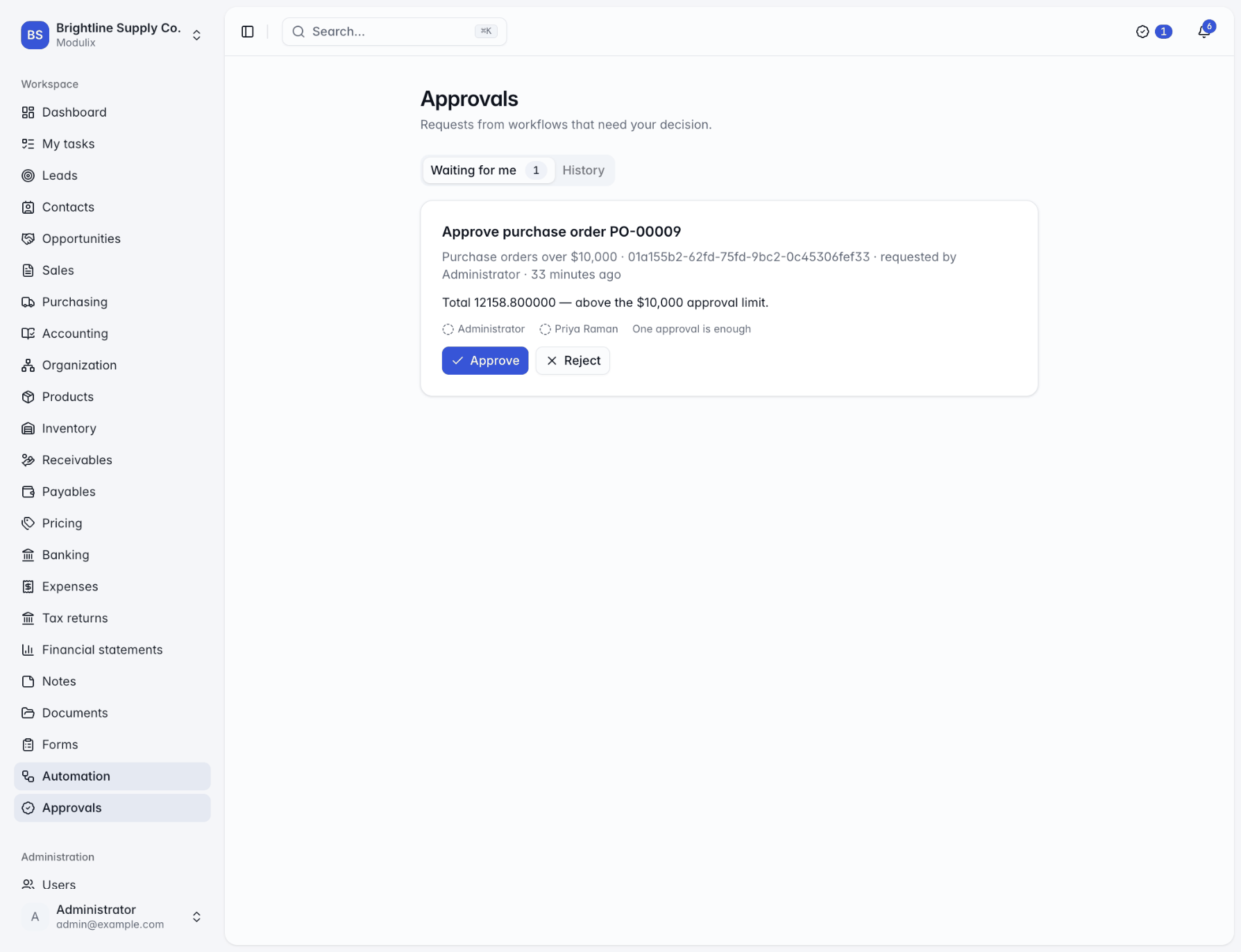
Approvals
Decide in one place, wherever you are
When a workflow needs a decision, the request appears in the Approvals inbox, as a badge in the top bar and on the dashboard, and reaches the approvers in the app, by email or as a browser push notification.
Approve or reject with a comment, which later steps can use. A request can need one approver or all of them, and requests nobody decides can escalate to more people after the hours you set.
Four-eyes principle
Optionally stop people approving their own changes.
Both outcomes handled
Run different steps when a request is approved or rejected.
History
Every request you decided, and those settled by others.
Forms
Forms that feed your records
Build multi-page forms with conditional questions, and share them with members or through a public link that needs no sign-in. Review and export the responses, notify the right people when one arrives, start a workflow, or collect leads straight into the Leads module.
Changing a form that already has responses creates a new version, so each response keeps the questions it answered.
Logic
Show questions or whole pages only when earlier answers match.
Public or internal
Members only, or anyone with the link.
Export responses
Download responses to work with them elsewhere.

Capabilities
Tools your team will actually use
Activities and tasks
Tasks, calls, meetings and follow-ups with reminders, in My tasks, a calendar and every record's timeline.
Comments and mentions
Threaded comments on any record; @mention someone and they are notified.
Documents
Folders, previews, every version kept, a trash to restore from, and files attached to records.
Notes
A shared board for the whole organization, with pinned and colour-coded notes.
Notifications
In the app, by email and as browser push. Each person chooses, with daily or weekly digests.
Workflow triggers
When a record is created, changed or deleted, on a schedule, on a date, or on demand.
Actions from every module
Create tasks, send emails and payment reminders, assign leads, approve expense claims.
Webhook steps
Call another system from a workflow, optionally signed with a secret.
Run history
Each run's steps, outcomes and errors, with retry from the step that failed.
See Modulix run your processes
Book a live walkthrough. Tell us how you quote, invoice, buy and close the month, and we will show you the modules you would use, how they connect and what moving over involves.