Sales
Quote to cash without re-typing
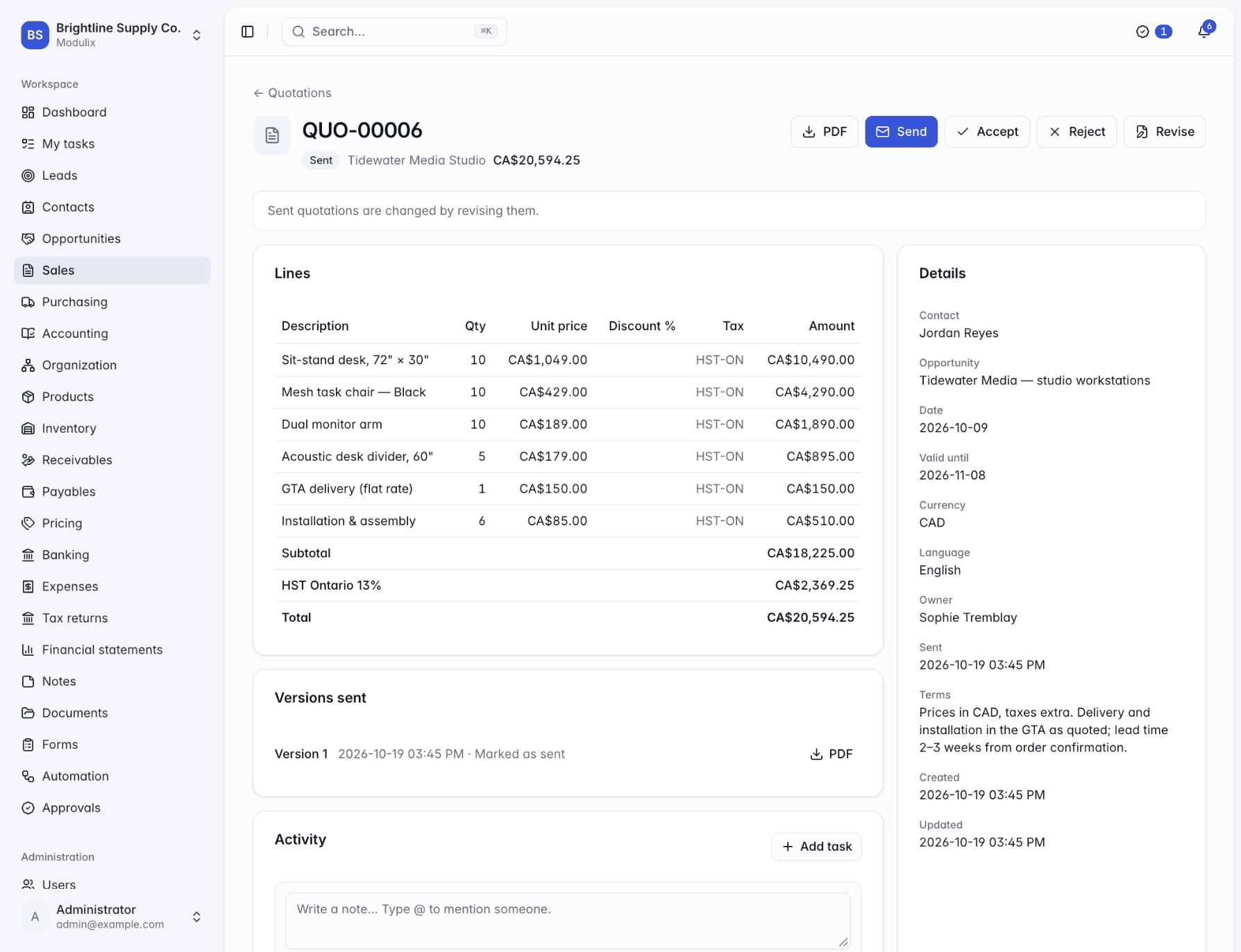
Quotations priced from your price books and taxed by your rules, orders that reserve stock, invoices with gap-free numbers and payments applied in a few clicks. Each step copies the one before.
Sales orders
Orders that know your stock
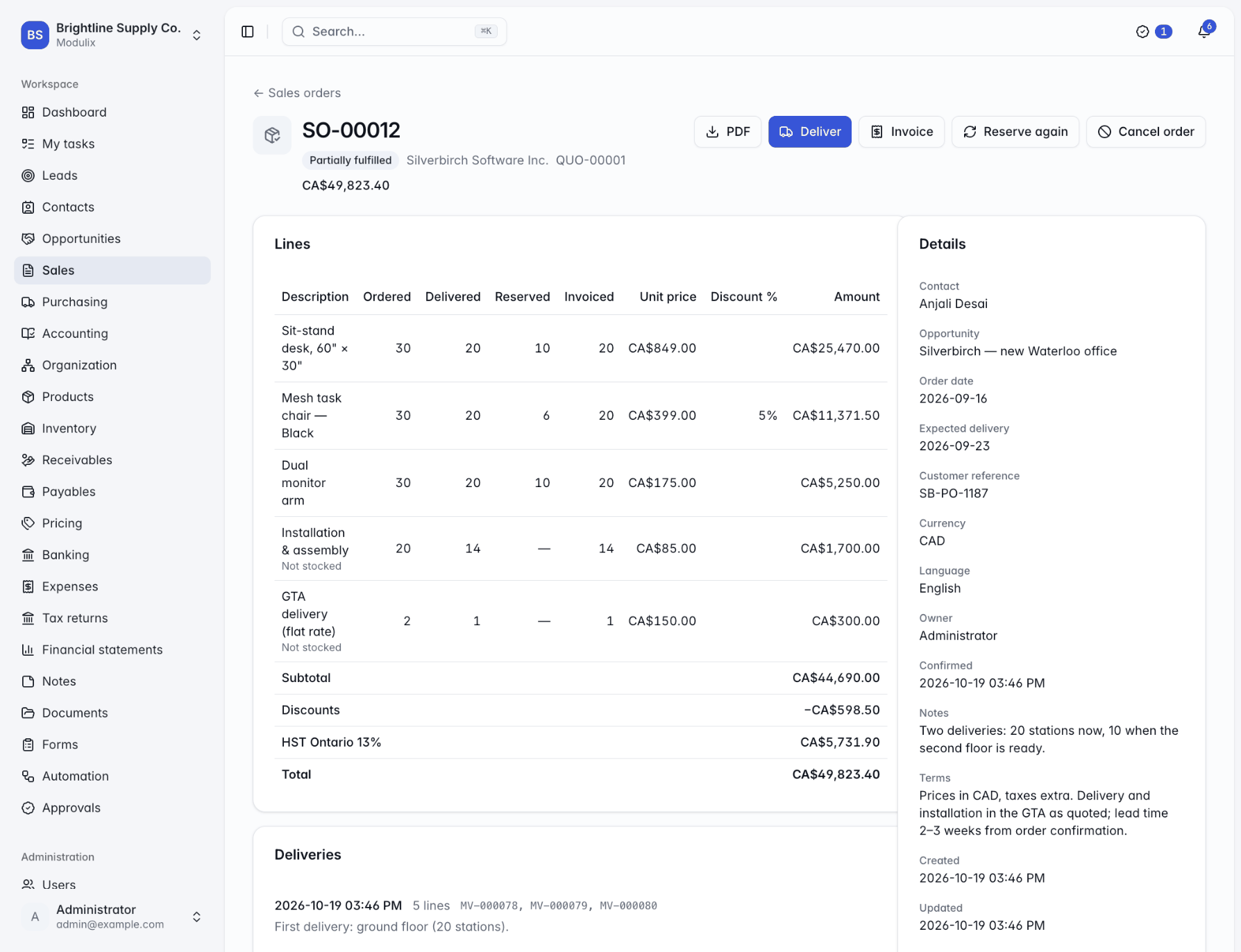
Confirming an order reserves its stocked lines in the order's warehouse, as far as stock allows, and tells you which lines are short. Deliver in one shipment or several; each delivery writes stock movements. Invoice all of the order or part of it, before, during or after delivery.
The order shows ordered, delivered, reserved and invoiced quantities for every line, so nobody has to ask what is left.
Reserve again
When missing stock arrives, reserve what is still left to deliver.
Partial deliveries
Ship what you have now and the rest when it comes in.
Partial invoicing
Bill after each delivery, or all at once at the end.
Invoicing and payments
Invoices your accountant will trust
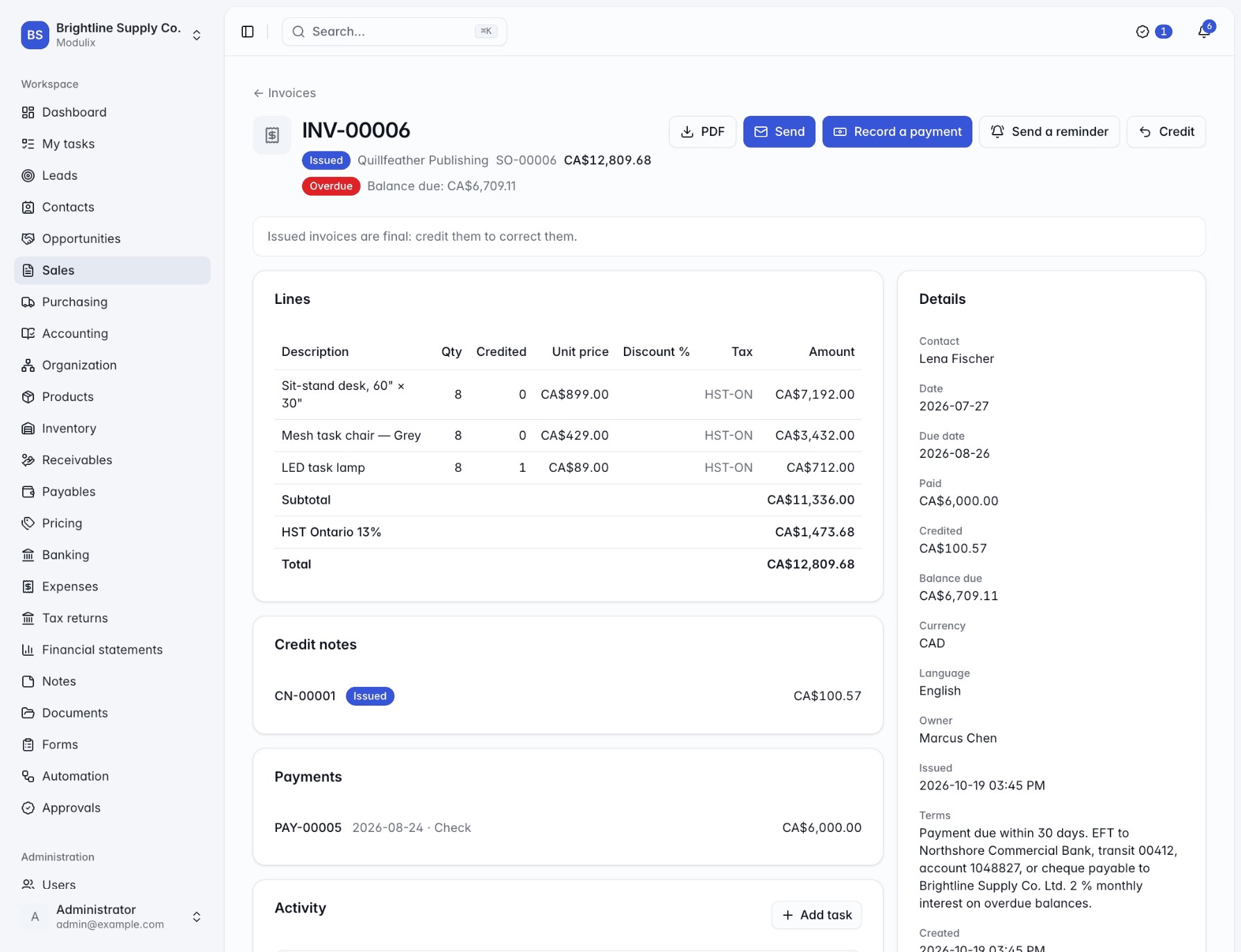
Draft invoices can be edited freely. Issuing one gives it the next number in its sequence, in the same transaction, so there are no gaps, and locks it: corrections are made with credit notes.
Payments are applied to one invoice or several, in full or in part, and each invoice's balance and status (unpaid, partially paid, paid or overdue) update on their own.
Documents in four languages
Quotations and invoices as PDF in English, French, German or Spanish.
Payment reminders
Send them by hand, or automatically with a workflow when an invoice becomes overdue.
Posted to the ledger
With Accounts receivable, every invoice and payment reaches the books as it happens.
Pricing and taxes
The right price and tax on every line
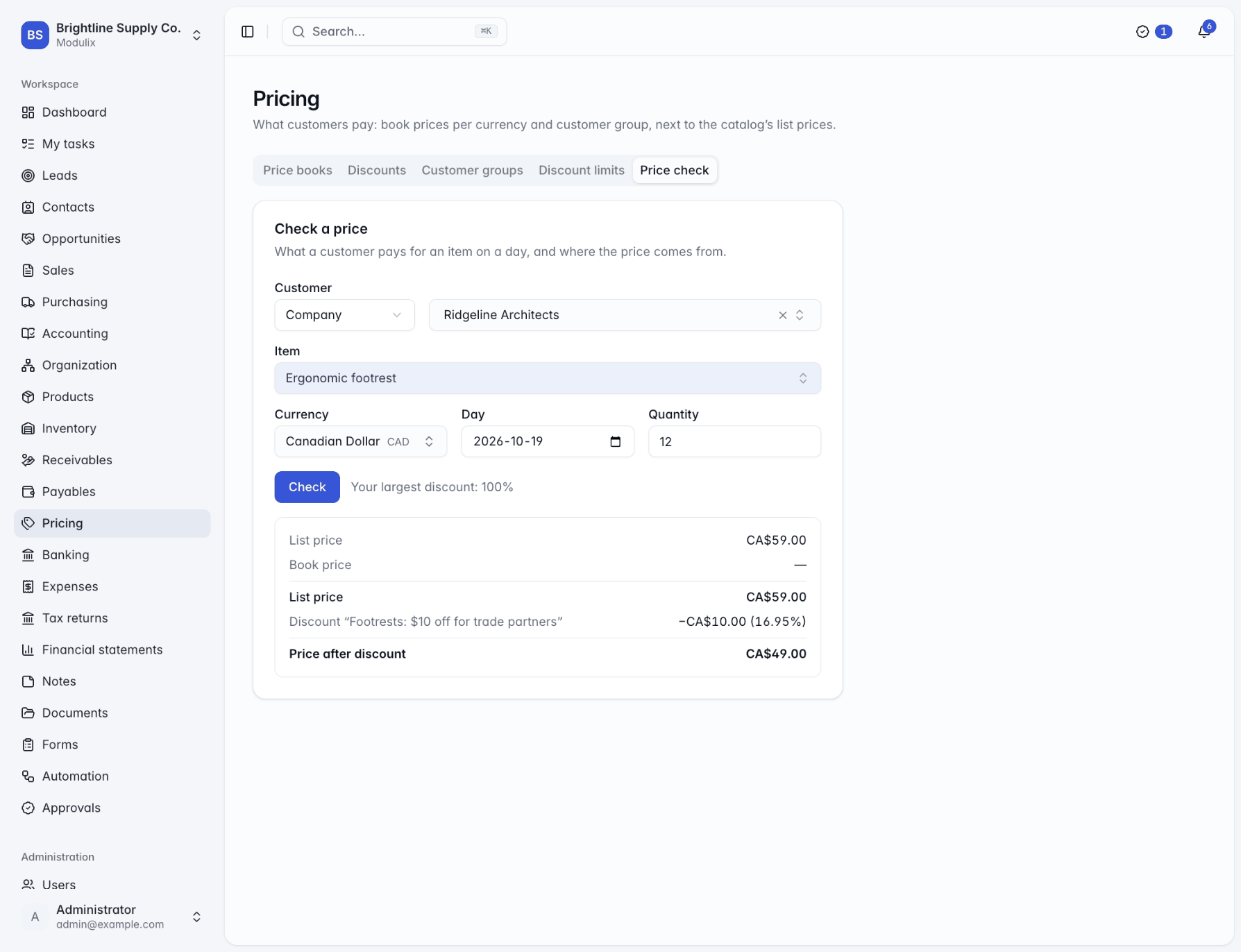
Price books set prices per currency, customer group and season. Discount rules add promotions and quantity breaks, and discount limits cap what each role may give by hand.
Taxes come from rules based on the customer's country and region and the product's tax class, including combined and compound rates such as GST + PST or GST + QST, and tax-exempt customers with their certificate numbers.
Price check
See how a price was worked out for a customer, a day and a quantity.
Discount limits per role
A typed discount above your limit is refused; rule discounts are not.
Try the tax rules
Test a location and tax class before a document goes out.
Capabilities
Everything between the quote and the payment
Quotation versions
Revise a sent quotation and every version that went out is kept.
Send by email
Quotations and invoices go out as PDF through your organization's email provider.
Validity and expiry
Quotations carry a valid-until date and expire on their own once it passes.
Credit notes
Correct issued invoices with credit notes in their own gap-free sequence.
Unapplied payments
Money received ahead of an invoice stays on the customer's account until you apply it.
Other currencies
Quote, invoice and get paid in other currencies; the ledger converts at your exchange rates.
Customer groups
Price wholesale, trade or partner customers alike with their own books and discounts.
Tax exemptions
Exempt customers with a reason, a certificate number and validity dates.
Default terms
Payment terms, document prefixes and standard terms set once in the settings.
See Modulix run your processes
Book a live walkthrough. Tell us how you quote, invoice, buy and close the month, and we will show you the modules you would use, how they connect and what moving over involves.