Finance
Close the month with confidence
A double-entry general ledger that invoices, bills, payments, bank lines, expense claims and tax returns post to automatically. Reconcile your banks, prepare GST/HST or VAT returns and produce statements in PDF or Excel.
Banking
Reconcile every account, every month
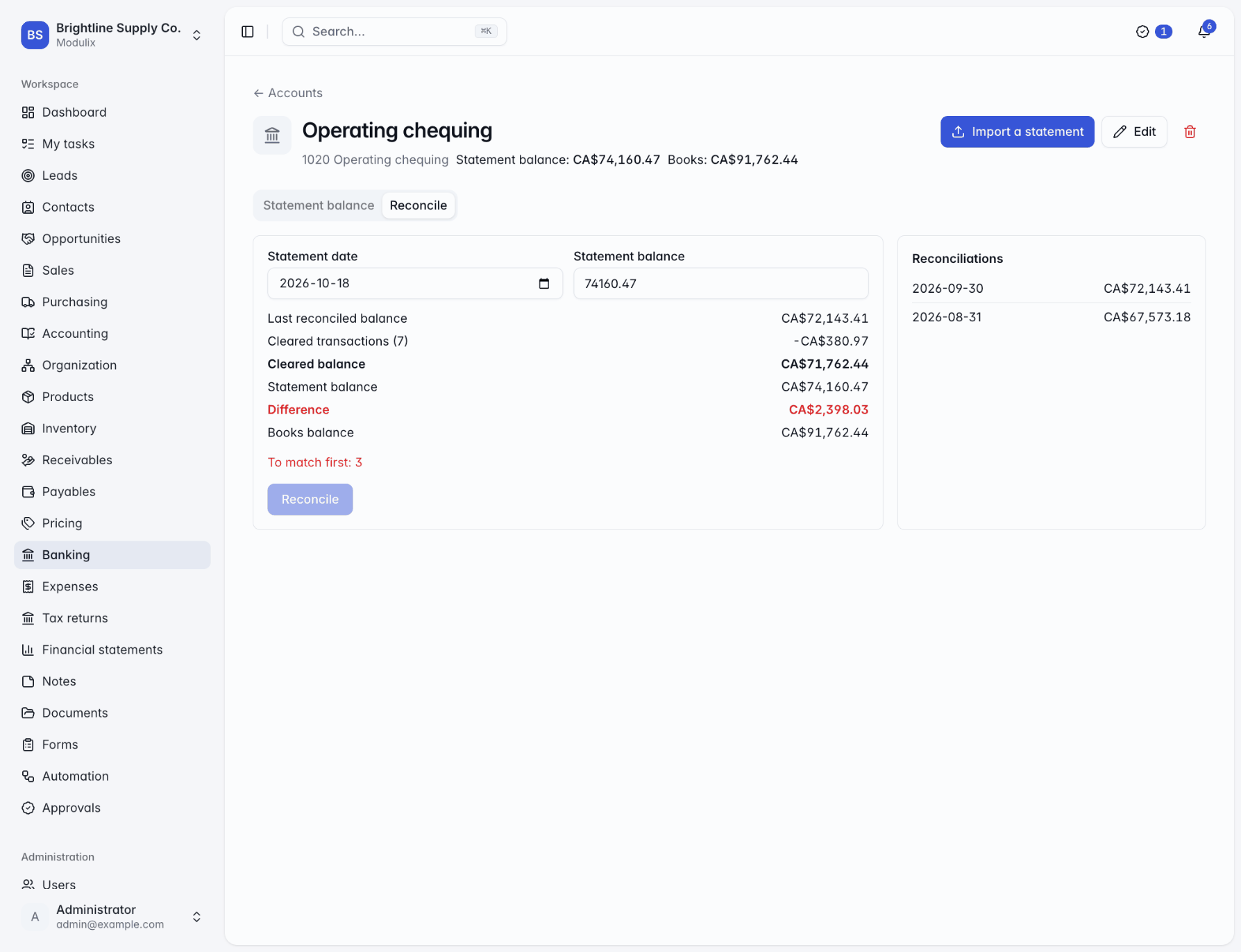
Import statements from CSV, OFX or QFX files and match each line to what the books already hold, or settle a bill, an expense claim or a tax return with it. To reconcile, enter the statement date and closing balance: Modulix shows the cleared balance and the difference, and only lets you reconcile when the difference is zero and nothing is left to match.
Reconciled lines are locked for good, and the account remembers the date it is reconciled up to.
CSV, OFX and QFX
Column headers recognized in English, French, German and Spanish.
Fees and interest
Book lines that only appear on the statement straight to an account.
Transfers
Move money between your accounts with the entry posted for you.
Tax management
GST/HST and VAT returns from the ledger
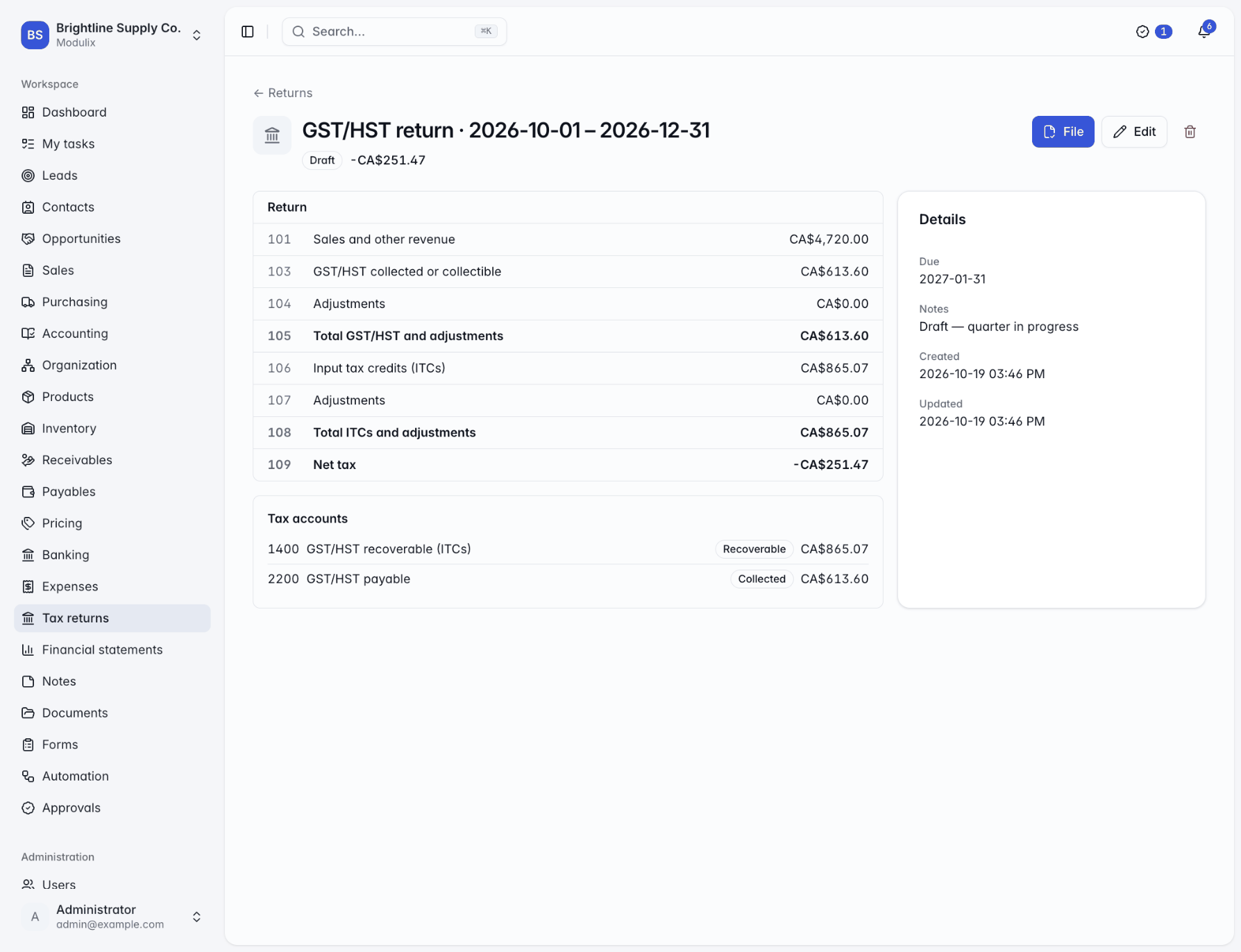
Compare tax collected with tax paid by month, quarter or year, then prepare a GST/HST or VAT return for the period. A draft return shows live figures from the ledger. Filing it keeps those figures, closes the period's tax accounts into what you owe or are owed, and lets you record the payment or refund.
Modulix prepares the return; you file it on the tax authority's own portal.
GST/HST lines 101 to 109
Sales, tax collected, input tax credits and net tax.
VAT return boxes
Output and input VAT, net VAT and the value of sales and purchases.
Settle from the bank
Match the payment on your statement and settle the return in one step.
Receivables and payables
Know who owes what, and when
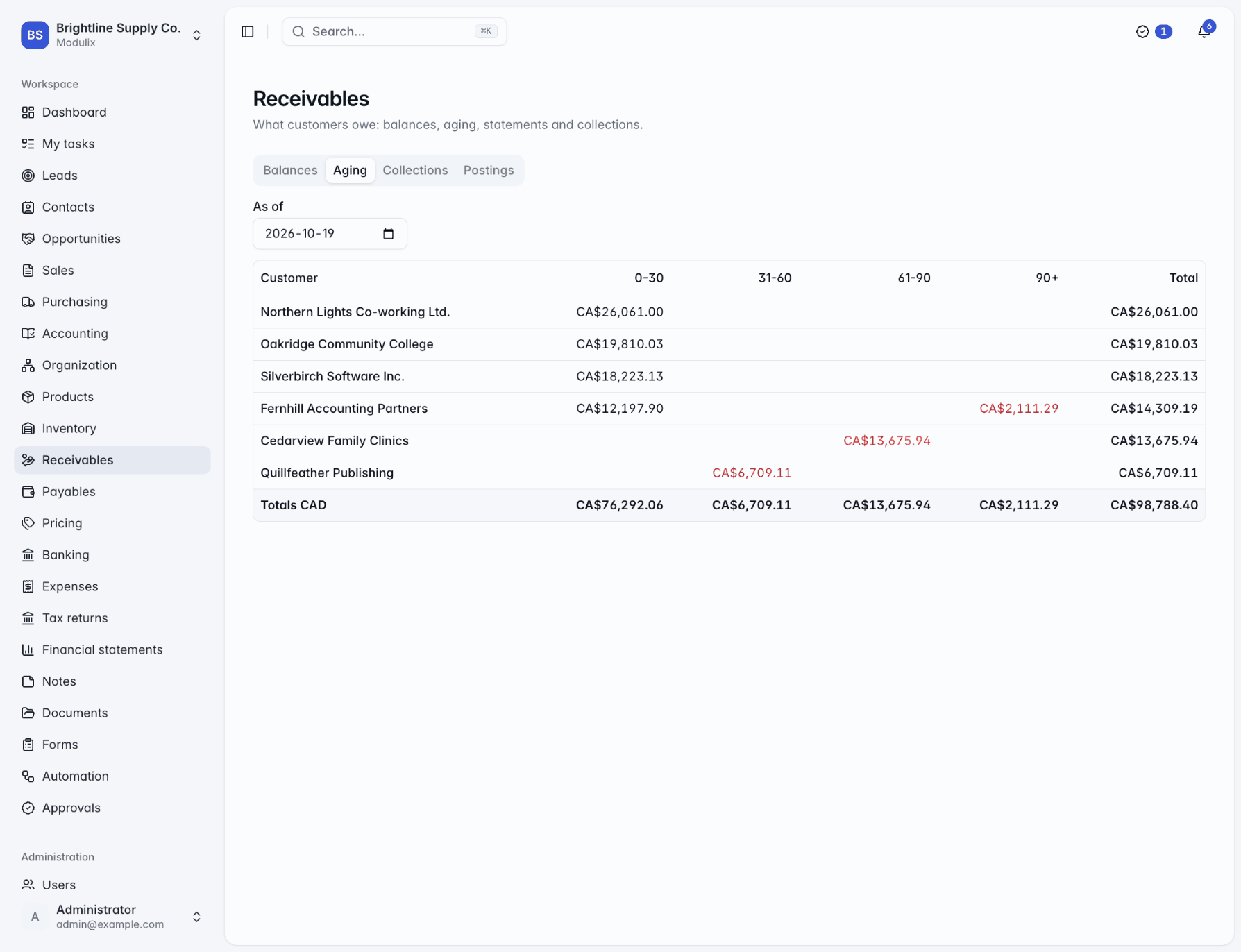
Customer balances and an aging report as of any day, so you can reproduce last month's aging exactly. Customer statements as PDF or by email, with collections notes for what was promised.
On the payables side, enter vendor bills by hand or from what a purchase order received, approve them into the ledger, plan when to pay them and record payments one bill at a time or several at once.
Duplicate protection
The same supplier invoice number twice for a supplier is refused.
Payment schedule
Unpaid bills grouped by the day you plan to pay them.
Collections notes
Follow-up dates, promised amounts and what was agreed.
Capabilities
A complete ledger, not a sync
Chart of accounts
Start from a standard, services or retail template, in English, French, German or Spanish.
Journal entries
Drafts can be edited; posted entries are numbered, final and corrected by reversal.
Fiscal periods
Close periods once the month is done, and lock them for good after year-end.
Separation of duties
Let bookkeepers draft entries and keep posting for the people who review them.
Exchange rates
Invoice, bill and bank in other currencies; postings convert at the rate of the day.
Trial balance
Opening, movements and closing balances for any dates, with a check that debits equal credits.
Expense claims
Receipts attached to each line, approval by hand or by workflow, posting and reimbursement.
Financial statements
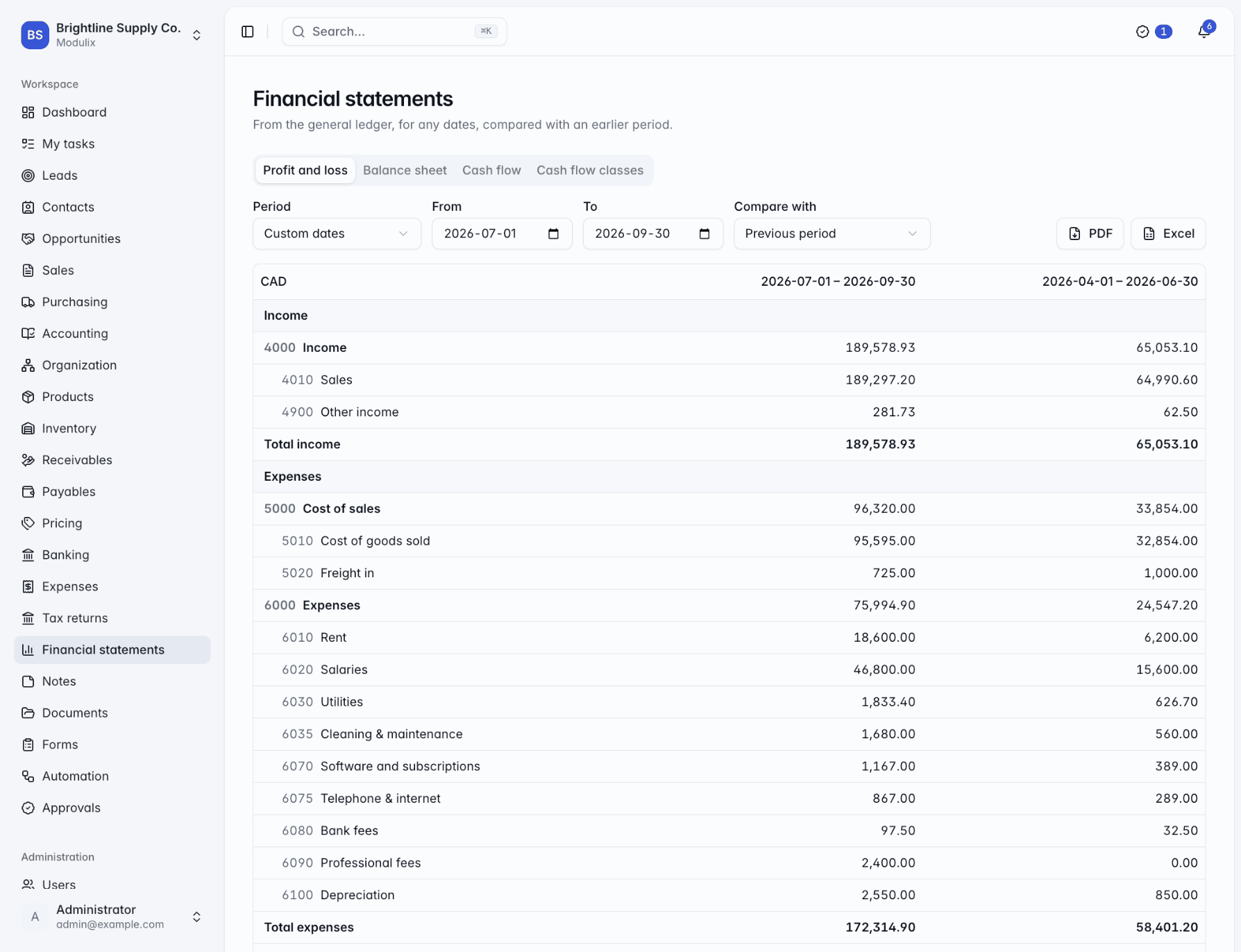
Profit and loss, balance sheet and cash flow, compared with an earlier period, in PDF or Excel.
Automatic postings
Invoices, payments, bills, bank lines, claims and tax returns post themselves as they happen.
See Modulix run your processes
Book a live walkthrough. Tell us how you quote, invoice, buy and close the month, and we will show you the modules you would use, how they connect and what moving over involves.